
Quick summary: To optimize your Google Business Profile, pick the most specific primary category, keep your hours accurate, list every service you sell, add real photos every month, and earn a steady flow of recent reviews. Category, proximity, and open hours carry the most weight in map rankings. Geotagging photos does not help, so skip it.
Your Google Business Profile (GBP) is the listing that shows in Google Maps and in the local 3-pack above the regular search results. For most local businesses it produces more calls than the website does.
This guide walks through the setup in the order that matters. Each step takes minutes, and none of them require a developer.
What is Google Business Profile optimization?
Google Business Profile optimization is the process of filling out, correcting, and maintaining your listing so Google can match it to the right local searches. It covers your categories, name, address, hours, services, photos, and reviews.
Google says local results come down to three things: relevance, distance, and prominence. You cannot move your building, so optimization is mostly about relevance and prominence.
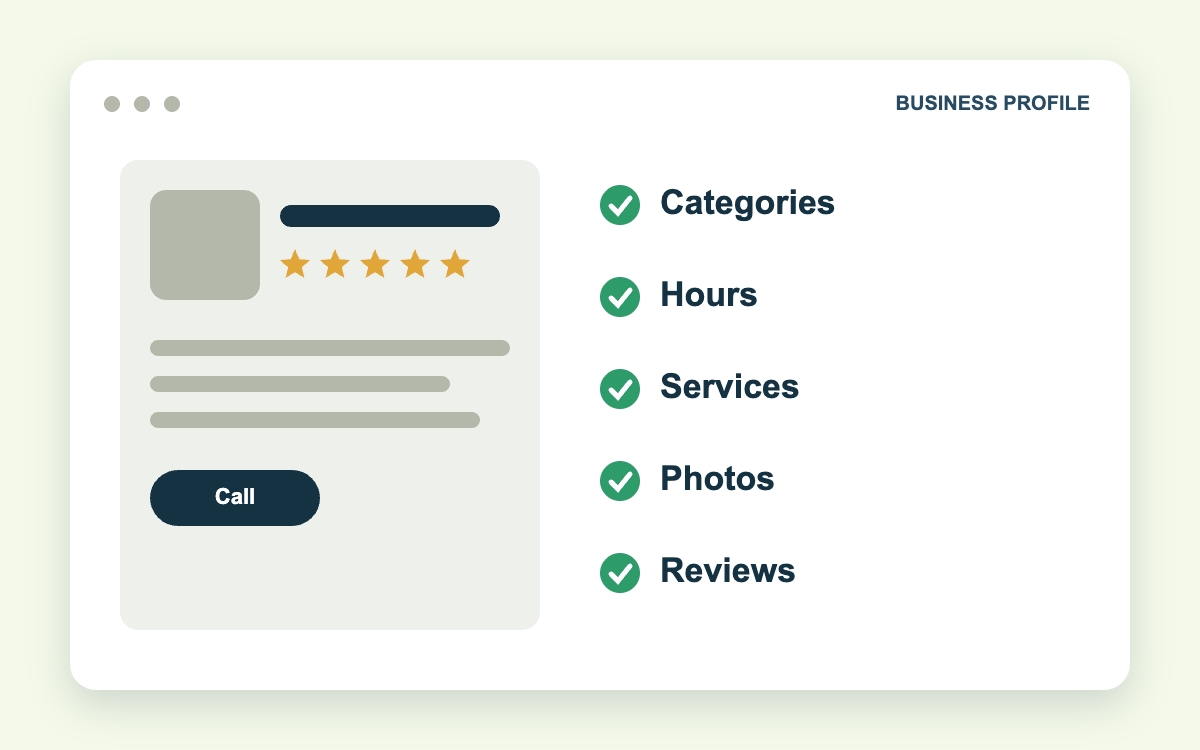
Which profile fields affect rankings the most?
The 2026 Whitespark Local Search Ranking Factors report surveys local SEO practitioners every year. Its top local pack factors are a useful priority list.
| Rank | Factor | Can you control it? |
|---|---|---|
| 1 | Primary GBP category | Yes |
| 2 | Proximity to the searcher | No |
| 3 | Keywords in the business name | Only if it is your real name |
| 4 | Physical address in the city searched | Partly |
| 5 | Business open at time of search | Yes |
| 6 | High Google star rating | Yes, over time |
| 8 | Additional GBP categories | Yes |
| 9 | Number of Google reviews | Yes, over time |
Three of the controllable items are free and take under an hour: primary category, additional categories, and hours. Start there.
How to optimize your Google Business Profile in 8 steps
1. Claim and verify the profile
Search your business name on Google and select "Own this business?" if the listing is unclaimed. Most businesses now verify by recording a short video that shows signage, the workspace, and proof you manage the location.
Use an email address the business owns, not an employee's personal account. Lost logins are the most common reason we see owners locked out of their own listing.
2. Choose the right primary category
Your primary category is the single biggest ranking input you control. Choose the category that describes what the business is, at the most specific level available.
A firm that handles only injury cases should use "Personal injury attorney," not "Law firm." A company that mostly replaces roofs should use "Roofing contractor," not "Contractor."
How to check: search your main keyword in Google Maps and look at the category shown under the top three results. If all three use the same primary category and you do not, that is your first fix.
3. Add secondary categories that match real services
Add secondary categories only for services you provide. An HVAC company might use "Air conditioning contractor" as primary, then add "Heating contractor" and "Air duct cleaning service."
In practice, four to six accurate categories outperform nine loosely related ones. Extra categories that do not match your website or services dilute relevance.
4. Keep hours accurate, including holidays
"Open at time of search" is now the fifth-ranked local pack factor in the Whitespark report. A profile that shows closed at 5:01 p.m. can drop out of results for evening searches.
- Set regular hours to the hours someone answers the phone.
- Add special hours for every holiday before it arrives.
- Use "More hours" for things like emergency service or online appointments.
Do not list 24 hours unless a person answers 24 hours. Customers who reach voicemail leave reviews about it.
5. Fill out services, products, and attributes
List each service with a short description in plain language. Google uses this text to match your profile to specific searches such as "water heater repair" or "uncontested divorce."
Attributes are the checkboxes for things like "Wheelchair accessible entrance," "Veteran-owned," or "Online estimates." Check every one that is true. They show on the profile and feed search filters.
6. Write a clear business description
You have 750 characters. Use the first 250 to say what you do, who you serve, and where. Skip slogans. Do not include links or promotional pricing, because Google's guidelines prohibit both.
7. Add original photos every month
Upload photos of your team, vehicles, storefront, and finished work. Real photos help customers choose you, and profiles with current images get more engagement than profiles with stock art.
Skip geotagging. Google strips location metadata from uploaded images, and the Whitespark report ranks geotagged photos last out of 187 local pack factors. Spend that time taking better photos.
8. Set up messaging, posts, and review requests
Google shut down its built-in Business Profile chat on July 31, 2024. Where the option is available, you can now add a WhatsApp or SMS link to your profile so customers can text you directly.
Post an update at least twice a month and ask every satisfied customer for a review. Review count, rating, and recency all feed map rankings.
Common Google Business Profile mistakes to avoid
Most of the damage we find in audits comes from a short list of errors.
- Keyword-stuffed names. Adding "Best Plumber Tampa" to your name violates Google's guidelines and is a leading cause of suspensions.
- Wrong map pin. A pin dropped on the wrong building sends customers to the wrong door and hurts proximity signals.
- Duplicate listings. Two profiles for one location split your reviews and can trigger a suspension.
- Mismatched contact details. Your name, address, and phone number should match your website and directory listings exactly.
A typical example: a dental office moves two blocks, updates its website, and forgets the profile. Six months later the old address still shows, the pin is wrong, and new patients are driving to an empty suite.
How long does GBP optimization take to work?
Category and hours changes can affect rankings within days. Reviews and photo activity build over weeks. Plan to judge results over 60 to 90 days, using calls, direction requests, and website clicks in the Performance section of your profile.
If you would rather hand this off, our GBP management service covers setup, monthly updates, and monitoring for unauthorized edits. Profiles work best alongside broader local SEO services such as citations and location pages.
Free guide: The Google Maps field guide for local businesses. A four-week plan: measure, reviews, photos, and visits, with a printable review card and shot list.
Frequently asked questions
Is Google Business Profile free?
Yes. Creating, verifying, and managing a Google Business Profile costs nothing. You pay only if you run Google Ads or hire someone to manage the profile.
How many categories should I add to my Google Business Profile?
Use one primary category and as few secondary categories as accurately describe your services. Google's own guidelines say to choose the fewest categories needed to describe your core business.
Does geotagging photos help Google Maps rankings?
No. Google removes EXIF location data when photos are uploaded, and practitioners surveyed by Whitespark rank it as the least useful local pack factor.
Can a service-area business have a Google Business Profile?
Yes. Businesses that travel to customers, such as plumbers and mobile detailers, can hide their address and set a service area. Google's guidelines limit that area to roughly two hours of driving from your base.
Find out where your profile ranks, block by block
A profile can rank first at your front door and tenth two miles away. A map grid scan shows exactly where you appear across your service area, and our guide on how to read a map grid report explains what the colors mean.
Contact Galli Local to request a profile audit and grid scan. You will get a ranked list of fixes, starting with the ones that take the least time.
Sources: Google Business Profile guidelines, Whitespark Local Search Ranking Factors