
Quick summary: A service area landing page targets one service in one city, such as "roof replacement in Riverside." To rank without duplicate content problems, each page needs information that is true only for that city: local jobs you completed, customer reviews from that area, local regulations or conditions, and specific neighborhoods served. Build fewer pages with real local detail, and skip the city-name swap.
Your Google Business Profile ranks best near your address. City pages are how you get found in the surrounding towns, in the organic results below the map.
This guide covers the structure, the content that makes each page unique, and the mistakes that get pages ignored.
What is a service area landing page?
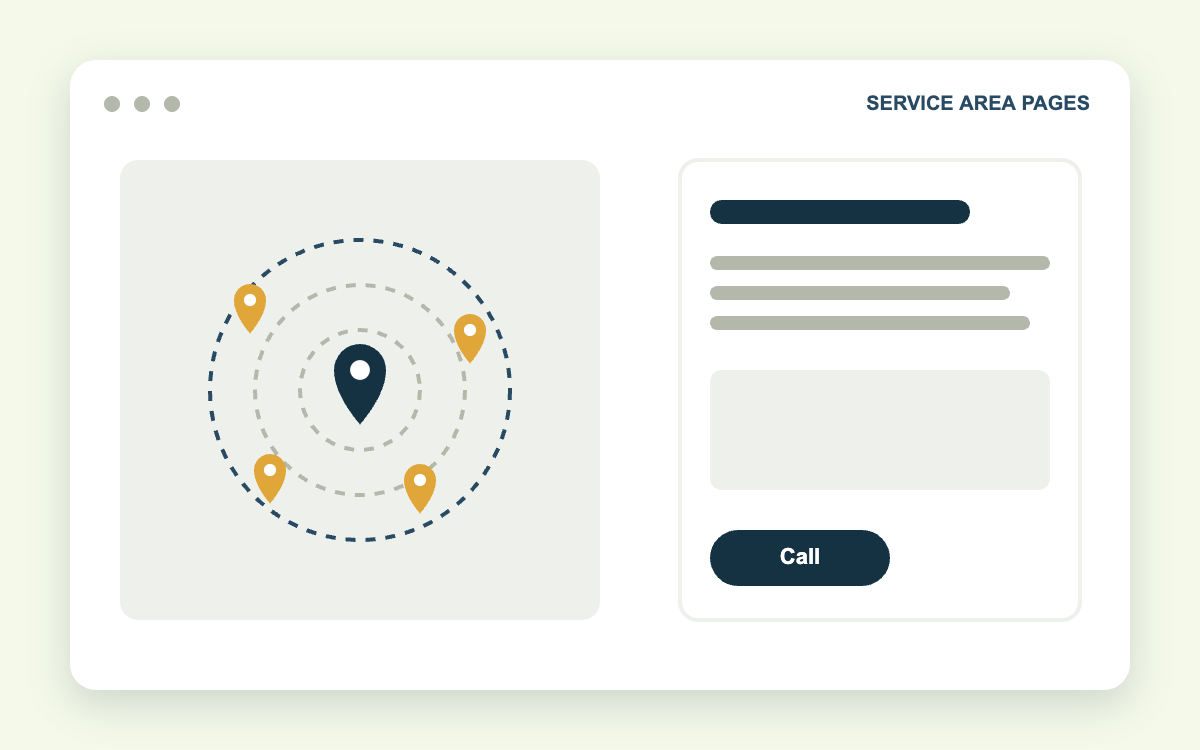
A service area landing page is a page on your website built to rank for a service and location combination. Examples: "Plumbing services in Bellefonte," "Car accident lawyer in Riverside," "AC repair in Clearwater."
There are two types:
- Location pages for a physical office you staff, tied to its own Google Business Profile
- Service area pages for cities you travel to but have no office in
Both follow the same rules. Location pages also include the office address, hours, and an embedded map.
Why do city pages fail?
Most fail because they are the same page copied 30 times with the city name changed.
Google's spam policies call these doorway pages: pages created to rank for similar searches that all funnel visitors to the same place without offering distinct value. Google does not typically penalize the site. It picks one version, ignores the rest, and none of them rank.
A quick test: remove the city name from the page. If you cannot tell which city it was written for, the page does not have enough local content.
What should a service area landing page include?
| Section | What goes in it | Why it matters |
|---|---|---|
| H1 and intro | Service + city, and a direct statement of what you do there | Matches the search and confirms relevance |
| Service details | What the service includes, pricing factors, timeline | Answers the buying questions |
| Local proof | Jobs completed in that city, with photos | First-hand experience |
| Local reviews | Testimonials from customers in that city | Trust from neighbors |
| Local context | Building codes, climate, housing stock, courts, traffic corridors | Content no other city page can share |
| Areas served | Neighborhoods, ZIP codes, landmarks | Hyper-local relevance |
| Map | Embedded map of the office or service area | Visual confirmation of coverage |
| FAQ | Questions specific to that city | Captures long-tail and AI answers |
| Call to action | Tap-to-call button and short form | Converts the visit |
How to build a city landing page in 7 steps
1. Choose cities where you have real work to show
Start with the five to ten cities that bring the most revenue. A page backed by actual jobs and reviews will outrank a page for a city you have never worked in.
2. Use a clean URL and title
Use a pattern such as /service-areas/riverside/roof-replacement/ or /riverside-roof-replacement/. Write a title tag with the service, the city, and your brand, under 65 characters.
3. Open with a direct answer
The first two sentences should say what you do, where, and for whom. Example: "Summit Roofing replaces tile and shingle roofs for homeowners across Riverside, from Wood Streets to Orangecrest."
4. Add local proof
This is the section that separates ranking pages from ignored ones.
- A short description of two or three jobs in that city: the problem, what you did, the result
- Photos from those jobs, with captions naming the neighborhood
- The number of jobs or years you have worked in that city, if you track it
5. Write the local context
Every city has details that affect your service. Use them.
- Roofers: local wind or fire ratings, HOA rules, permit process at the city building department
- Plumbers: water hardness, age of housing stock, common pipe materials in older neighborhoods
- Attorneys: the county courthouse where cases are filed, local judges' procedures, dangerous intersections
- HVAC: climate demands, utility rebate programs, common system types in local homes
In our experience, this section does more for rankings than adding word count anywhere else, because it is content competitors cannot copy.
6. Embed a map and list the areas served
For a staffed location, embed the Google Map for that office's Business Profile. For service areas, embed a map of the city or a custom map of your coverage area.
List neighborhoods and ZIP codes in plain text. Mention recognizable landmarks and highways.
7. Add local reviews and a clear call to action
Place two or three testimonials from customers in that city, with first name and neighborhood. Put a tap-to-call button near the top on mobile and a short form further down.
How to avoid duplicate content across location pages
You can reuse structure. You cannot reuse substance.
| Fine to repeat | Must be unique per page |
|---|---|
| Page layout and section order | Intro paragraph |
| Company background, briefly | Local jobs and photos |
| Core service description, in part | Customer reviews |
| Licensing and warranty details | Local context section |
| Contact form | FAQ answers, areas served |
A practical rule: at least half of each page should be content that appears nowhere else on your site. If you cannot reach that for a city, you are not ready to build that page.
How many city pages should you build?
Build as many as you can make useful. For most local service businesses, that is 5 to 15.
Consider a plumber with one office and 40 surrounding towns. Forty thin pages will mostly be ignored. Ten detailed pages for the towns that generate the most calls will rank, and the other 30 towns can be listed on a single service area hub page.
Link every city page from a "Service areas" hub in your main navigation, and link each page to its neighbors and to the relevant service pages.
How do you make service area pages convert?
Ranking brings the visit. These elements produce the call.
- A phone button fixed to the screen on mobile. Most local searches happen on phones.
- A form with four fields or fewer.
- Proof above the fold: star rating, review count, license number.
- A specific offer, such as a same-day estimate or free inspection.
- Fast loading. A page that takes five seconds on a cell connection loses visitors before they see it.
Tie the page to revenue. Use call tracking and form tracking per page so you know which cities produce jobs.
Free guide: Service area page template. A fill-in page outline, 13 local-proof questions, and a pre-publish checklist.
Frequently asked questions
Are city landing pages considered doorway pages?
Only when they are near-duplicates with no unique value. Pages with real local content, proof, and reviews are legitimate and common.
How long should a service area page be?
Long enough to cover the sections above, which usually means 700 to 1,200 words. Local detail matters more than length.
Should I create a page for every service in every city?
Start with one page per city for your main service. Add service-specific city pages only where search demand and your job history justify them.
Can I use AI to write city pages?
AI can help with structure and drafting. The job details, photos, reviews, and local knowledge have to come from your business, or every page will read the same.
Get location pages built from your real work
Our SEO content writing team builds city pages from your job history, photos, and reviews. Design and CRO handles the layout, mobile call buttons, and forms.
Pages rank best when the technical foundation is sound, which is where technical SEO comes in: schema, internal links, and page speed.
Contact Galli Local to request a service area plan. Send us your top ten cities and we will tell you which pages to build first, based on search demand and competition.
Sources: Google Search spam policies: doorway abuse, Google: creating helpful, people-first content